Make the workflow clear before automating it
Most automation projects in small and medium-sized businesses stall at the same point: someone chose a tool before anyone wrote down what the work is. These notes are for operations managers who want to understand an automation consulting engagement from the inside, starting with the task, the people and the evidence that a change works.
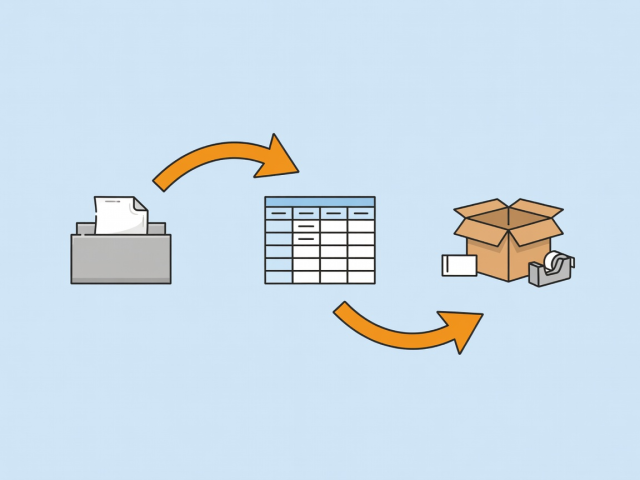


Locate the repeated handoff
A handoff is the moment work passes from one person, system or file to another. Repeated handoffs are where time disappears and errors enter: a figure is retyped, an attachment lands in the wrong folder, a request waits in an inbox nobody has checked. Automation is worth discussing only where a handoff recurs often enough to be described precisely.
The three situations below are hypothetical illustrations, not client cases. They show what a repeated handoff tends to look like.
Order routing
An order arrives by email or web form, is copied into a spreadsheet, then forwarded to whoever packs it. Three handoffs, each with a chance of a missing line.
Invoice review
A supplier invoice is saved as a PDF, keyed into the accounts package and sent to a budget holder. The waiting step is rarely visible.
Document handoff
A signed form is scanned, renamed by hand and filed. Months later, someone needs it and cannot find it.
Spotting these takes no software. A week of noting where work waits, and who it waits for, is enough to begin.
Trace a task from input to review
The method below is the spine of most engagements, whatever tools end up involved.
- Name the trigger and the input.Write down what starts the task, such as an email, a form or a date, and what arrives with it. Collect real samples, including the untidy ones.
- List every handoff.Record who or what touches the work, in what order and in which file or system. A SIPOC table (suppliers, inputs, process, outputs, customers) is enough for a first pass.
- Mark decisions and exceptions.Where does someone judge, approve or reject? What happens when the input is incomplete? This is where a BPMN diagram earns its effort.
- Write acceptance criteria.State in checkable terms what a correct result looks like, for example: every order line in the source appears once in the output.
- Run a pilot on copies.Keep the manual process running and compare results on copies of real work until every difference is understood.
- Review and adjust.Use the PDCA cycle (plan, do, check, act) to decide whether to widen, change or stop.
Technology appears at step five, not step one. By then the choice of tool is a smaller decision, because the requirements are already on paper.
Four parts of a sound engagement
Process mapping
How a recurring task is documented with SIPOC, BPMN and Kanban boards, including the exceptions and the evidence behind each step.
Task selection
How to judge which work suits automation, with a suitability table, data formats such as CSV and JSON, and an early GDPR check.
Pilot delivery
What a bounded pilot contains: scope, test data, shadow running, limited access through OAuth and written exit criteria.
Human oversight
Who owns which decision, where reviews sit and which logs make an automated step accountable.
Questions before changing a process
What does an automation consultant actually do?
Mostly listening, mapping and testing. An adviser documents the work, helps choose tasks, supervises a pilot and leaves written handover notes. The tool is usually the smaller part.
Do I need special software to start?
No. A whiteboard or a spreadsheet is enough to map a task and to write the checks that a result must pass.
How do I know a pilot worked?
When its results meet the acceptance criteria written beforehand and every exception was handled by a named person.
Does GDPR matter for a small automation?
Yes, whenever personal data such as customer names or delivery addresses moves between systems. The basics are set out in task selection.