Turn a recurring task into a map
A process map is a picture of work as it is actually done, drawn before anyone proposes changing it. For a small business it can be a single page: a trigger, the people and files involved, the decisions and the exceptions. The notations below differ in detail, but each makes handoffs visible enough to discuss and measure.
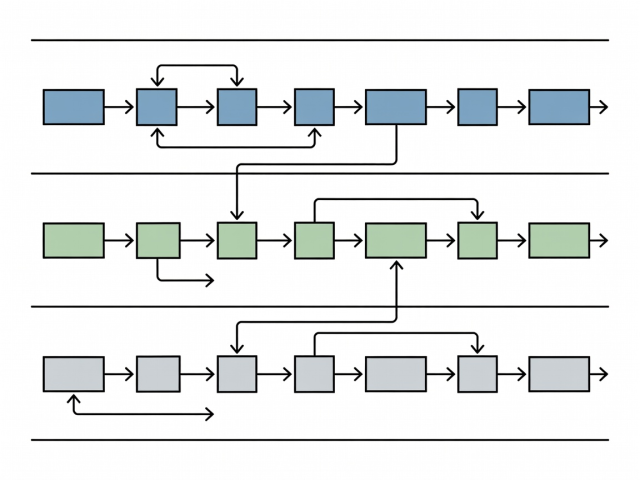
Begin with the trigger and real samples
Discovery starts with observation, not a diagram. Ask the person who does the task to show it on a normal day, then describe a bad one. Collect samples of the inputs: five real order emails, a folder of supplier invoices, a handful of scanned forms. Samples expose variation that a description hides, such as an order that names the same product three different ways.
Note the trigger, meaning whatever starts the task, and the end point, the moment someone treats it as finished. Everything between those two points belongs on the map; everything outside it does not.
Pick a notation that matches the audience
- SIPOC
- Suppliers, Inputs, Process, Outputs, Customers. A single table from Lean and Six Sigma practice that frames a process in five columns and a few high-level steps. Suited to a first conversation with people who have never seen a diagram.
- BPMN
- Business Process Model and Notation, maintained by the Object Management Group and published as ISO/IEC 19510. It draws tasks, gateways, events and swimlanes. Suited to processes with decisions, waits and several participants.
- Kanban board
- Developed from the card-based scheduling of the Toyota Production System, associated with Taiichi Ohno, and later adapted to office work by David J. Anderson. Columns show where work waits and how much is in progress.
- Numbered list
- Often enough for a task with one person and no branches. The discipline is the same: one action per line, each with its input and output.
Choose the lightest notation that keeps the argument honest. A diagram nobody on the team can read is documentation for the consultant alone.
Walk the map with the people who do the work
- Draw a first version from the samples and one interview.
- Read it back, step by step, to the person who does the task.
- Correct every place where they say “well, usually…”.
- Add the person who receives the output and ask what they do with it.
- Mark each handoff with the file, system or message that carries the work.
- Date and version the map so later changes can be compared.
The “usually” sentences matter most. Each one points to a rule that exists only in someone’s head, and rules like that are the first thing an automated step breaks.
Record exceptions where they happen
A map that shows only the happy path is a trap. Exceptions, such as a missing purchase order number, a customer who changes an order after confirmation or an invoice in a foreign currency, are where people apply judgement. Add each as a branch with a plain note on who decides and how often it occurs, in words such as “rare” or “weekly” if no count exists.
In BPMN the branch is a gateway; on a Kanban board it is a separate column such as “Needs a decision”. Whatever the notation, give every exception an owner. An unowned exception ends up with whoever happens to notice it.
See the result: a mapped order-routing task
The table below is a hypothetical illustration of one finished map, written as rows rather than a diagram.
| Step | Carried by | Output | Check |
|---|---|---|---|
| 1. Order arrives | Shared inbox or web form | Order email | Customer name and items are present |
| 2. Order copied | Spreadsheet, CSV export possible | One row per line item | Row count matches the lines in the email |
| 3. Stock checked | Stock sheet | Available or short | Short items go to a named person |
| 4. Packing note sent | Email to the packer | Packing note | Every order number appears once |
| 5. Dispatch recorded | Spreadsheet | Dispatch date | Order closes only when a date is entered |
The last column is the bridge to the next stage. Each check is a candidate acceptance criterion, developed under task selection.
Keep the map where the team already looks
Store the map on the shared drive or wall the team already uses, and change it whenever the work changes. A map that drifts from reality misleads the next person who relies on it, including whoever builds the first automated step.
Continue with
Task selection
Turn the checks on the map into criteria and judge which tasks suit automation.
Pilot delivery
See how a mapped task is trialled beside the manual process.