Build a pilot with clear boundaries
A pilot is a deliberately small trial of an automated step, run beside the manual process and judged against criteria written beforehand. Its purpose is to learn cheaply, so its boundary matters more than its cleverness: one process, one source of input, a limited period and copies of real work.
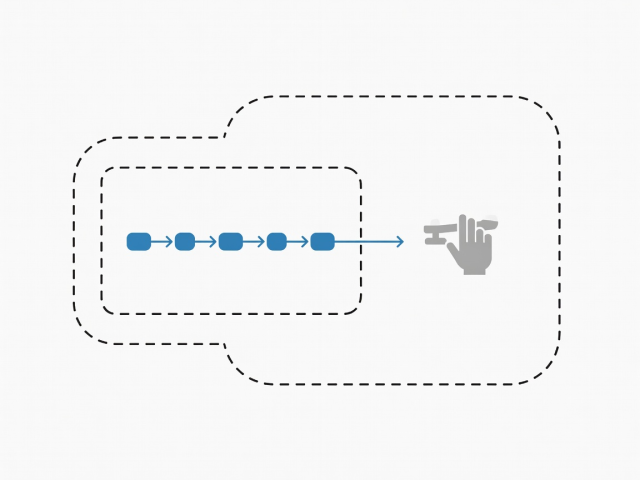
Draw the boundary first
Boundaries are written down before anything is built, because a pilot without edges grows into production by habit. A workable boundary names:
- One process, identified by its trigger and its end point.
- One input source, such as a single shared inbox or one CSV export.
- One named owner who can pause the pilot at any time.
- A fixed review date.
- The data fields the pilot may see, and those it may not.
- Written stop conditions.
Run it in five stages
- Prepare a test set.Copy real samples, including the awkward ones from mapping, and leave the originals untouched.
- Build the smallest flow.Handle the common case only. Route everything else to a named person.
- Shadow-run.The manual process continues as normal while the automated flow produces its output on the side.
- Compare.Check results line by line against the acceptance criteria and list every difference with its cause.
- Decide.Widen, change or stop, and record the decision and reasons in writing.
Use PDCA to keep each round honest
- Plan
- State the change and the expected result in checkable terms.
- Do
- Run the pilot on the test set, and later on live copies.
- Check
- Compare the output with the acceptance criteria, not with impressions.
- Act
- Adopt, adjust or abandon, then start the next cycle with what was learned.
The cycle is associated with W. Edwards Deming, who built on Walter Shewhart’s earlier work on statistical process control at Bell Laboratories. Its value in a small pilot is modest and practical: it forces the “check” to happen before the “act”.
Expect written deliverables, not only a working flow
Process map and version history
The agreed picture of the task, with dated changes.
Acceptance criteria sheet
Each criterion with its test and the result of each run.
Test data set and run log
What was fed in, what came out and what differed.
Access list
Which accounts were connected, with what permissions and who can revoke them.
Handover and rollback notes
How to pause, restart and change the flow, and how to return to the manual route.
Connect tools with the least access that works
Workflow platforms such as Zapier, Make, Microsoft Power Automate and n8n join services through ready-made connectors, while custom scripts do the same in code. Their features and pricing change, so rely on each maker’s own documentation.
Either route should connect through OAuth where the service supports it, with permissions limited to the folders, mailboxes or sheets the pilot needs. Share no personal passwords. Where a service allows it, use a dedicated account for the connection, so access can be revoked without disturbing anyone’s own login. Test JSON and CSV exchanges with awkward samples: accented names, very long values, blank fields.
Decide the exit before the start
Exit criteria stop a pilot from drifting. In a hypothetical invoice-review illustration, the exit might read: the pilot ends when every invoice in the test set has either matched its purchase record or been routed to a named reviewer, with no unexplained differences.
If the pilot ends without meeting its criteria, the result is still useful. Record the causes and decide whether to change the map, narrow the task or stop.
Continue with
Task selection
Writing the criteria that a pilot is judged against.
Human oversight
Roles, checkpoints and logs once a flow is running.